









Timesheets without the chasing

Crew timesheets, without you doing the chasing.

Zemke, the ZimQi assistant, asks your crew one plain question at a time, in Telegram or a phone browser link with no app to install. Their quick replies become site forms and photo records in your own Google Drive™ or Dropbox, and hours ready for your one-tap approval into Xero.

  • Telegram
  • Phone browser link
  • No app to install: Telegram or a personal phone browser link.
  • Nothing goes to Xero until a named person taps Approve.
  • Pay for days worked, not seats. Plans from A$20.90/mo inc GST (A$19 ex GST).

30-day free trial, up to 300 credits. No card.

Prices shown inc GST first · See pricing

Zemke Telegram or 1-Tap Browser Link
Example
Wrapping up at 42 George St? Reply with what got done or snap the docket.
Level 2 waterproofing complete + 2hr variation. docket_photo.jpg
Filed automatically — waiting on supervisor tap
42GeorgeSt_DailyDocket_19Nov.pdf Stamped with your logo & ABN • Filed to Drive
Kev • 8.0 hrs logged

Plugs straight into the tools you already run

  • Telegram
  • 1-Tap Browser Link (No App)
  • Google Drive
  • Dropbox
  • Exports to Xero Payroll & Bills

See a check-in, a one-tap approval, and hours ready for Xero.

▶ 60s walkthrough How to do crew timesheets on Telegram — ZimQi how-to Watch on YouTube ↗

Demo — businesses shown are illustrative.

Start free trial

One normal shift

How Zemke replaces the chase

Zemke asks one quick question at a time, at the right point in the shift. You approve. Nobody chases.

Chat lines are illustrative examples, not screenshots.

Zemke the emu in a hi-vis vest and hard hat running forward with a clipboard showing a green tick.
  1. Check-in · 6:45 am

    Telegram Browser link

    Morning Kev. Which site today?
    Harbour StNorthside Medical
    Harbour St
    ✓ Checked in, 6:47 am. Have a good one.

    What lands: check-in time and site on Kev’s timesheet. If you turn location on, one location share at check-in (Telegram only). No tracking during the day.

  2. Site form · straight after check-in

    Google Drive Dropbox

    Quick pre-start for Harbour St. Have you read today’s SWMS?
    YesNot yet
    Any hazards on site today?
    scaffold on level 2 still tagged out
    Photo of the work area?

    What lands: your own pre-start or SWMS form, prefilled with Kev’s name, site, date and time. It files as a branded PDF with your logo and ABN, plus the photo, in your Google Drive or Dropbox by site and date. The SWMS is acknowledged (✓)* and versioned.

  3. Knock-off and docket photo · 3:30 pm

    Xero

    Heading off? Tap Check out when you’re done.
    done. levels 2-3 patched, about 30 min waiting on the ute
    Got it: 7.5 h, Harbour St.
    “About 30 min” flagged as an estimate
    Break?
    None15304560
    [photo of delivery docket]

    What lands: tidy timesheet rows, with the estimate flagged and nothing guessed. The docket photo files to Drive or Dropbox. Sam approves with one tap. When Xero is connected, employee hours go to Xero Payroll AU as draft timesheets and subbie hours as Xero draft bills, or they go into a CSV for your bookkeeper. ZimQi never auto-approves them.

  4. Expiry reminder · 30 days out

    Telegram

    Kev, your White Card on file expires on 18 Dec. Can you send the new one when you’ve got it?

    What lands: the same heads-up goes to the supervisor and owner in Telegram, and to the owner or PM by email. It repeats at 14, 7 and 0 days, then weekly while overdue.

Reminders and check-in prompts come through Telegram. Crew on the browser link check in and fill forms there, without nudges. *Completed and saved in ZimQi — not a certification, and not compliance on its own. Notes

Side by side

The Friday arvo chase vs letting Zemke handle it

The Friday arvo chase Letting Zemke handle it
Hours scattered across the group chat, texts and paper.Each person taps in and out on their phone. Hours are already in one list.
“Did anyone do the pre-start?” Nobody’s sure.The form comes up at check-in, one question at a time, and files itself.
The work app gets muted and its forms get skipped.A chat message gets a reply, and the questions are short.
Chasing subbies for dockets and hours to bill.Subbie hours become Xero draft bills once you approve.
Finding out a White Card lapsed on the day of an audit.Reminders at 30, 14 and 7 days, to the worker and to you.
You’re the admin cop with good workers.Zemke does the polite chasing. You just tap Approve.
Friday arvo goes on payroll catch-up.Friday arvo goes on checking drafts in Xero.
Zemke the emu pushing a wheelbarrow of tidy timesheets toward a navy folder marked with a green tick.

Simple setup

Get started in three steps

  1. Zemke the emu waving hello while holding a clipboard with a green tick.

    Start the free trial

    30-day free trial, up to 300 credits. No card needed to get going.

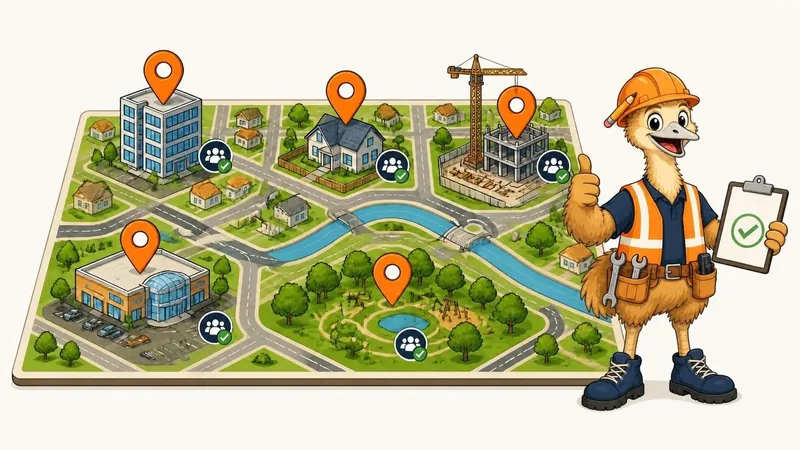
  2. Illustrated town map with orange location pins on an office, house, building site, shop and park, with Zemke giving a thumbs-up.

    Add your sites and crew

    Add your sites and crew in the dashboard and set shift times if you want reminders.

  3. Zemke the emu giving a thumbs-up alongside three workers in hard hats and hi-vis vests.

    Your crew checks in that day

    Send them the link. They tap in on their phone — in Telegram or a phone browser.

Also included when you need it

Site forms, photos and licence reminders in the same loop

Start with timesheets. When you’re ready, the same check-in flow handles site paperwork too.

Smart Forms & cloud filing

Upload the site forms you already use (pre-starts, SWMS, toolbox talks, incident notes). Crew answer one question at a time on their phone, and completed branded PDFs and site photos file straight into your own Google Drive or Dropbox.

Licence reminders & paper timesheet upload

Track worker licences, White Cards and insurances with automatic 30-, 14- and 7-day expiry reminders.

Beta Paper timesheet photo upload: send a photo of a paper timesheet in Telegram and ZimQi will try to read it. Always check the hours before approving.

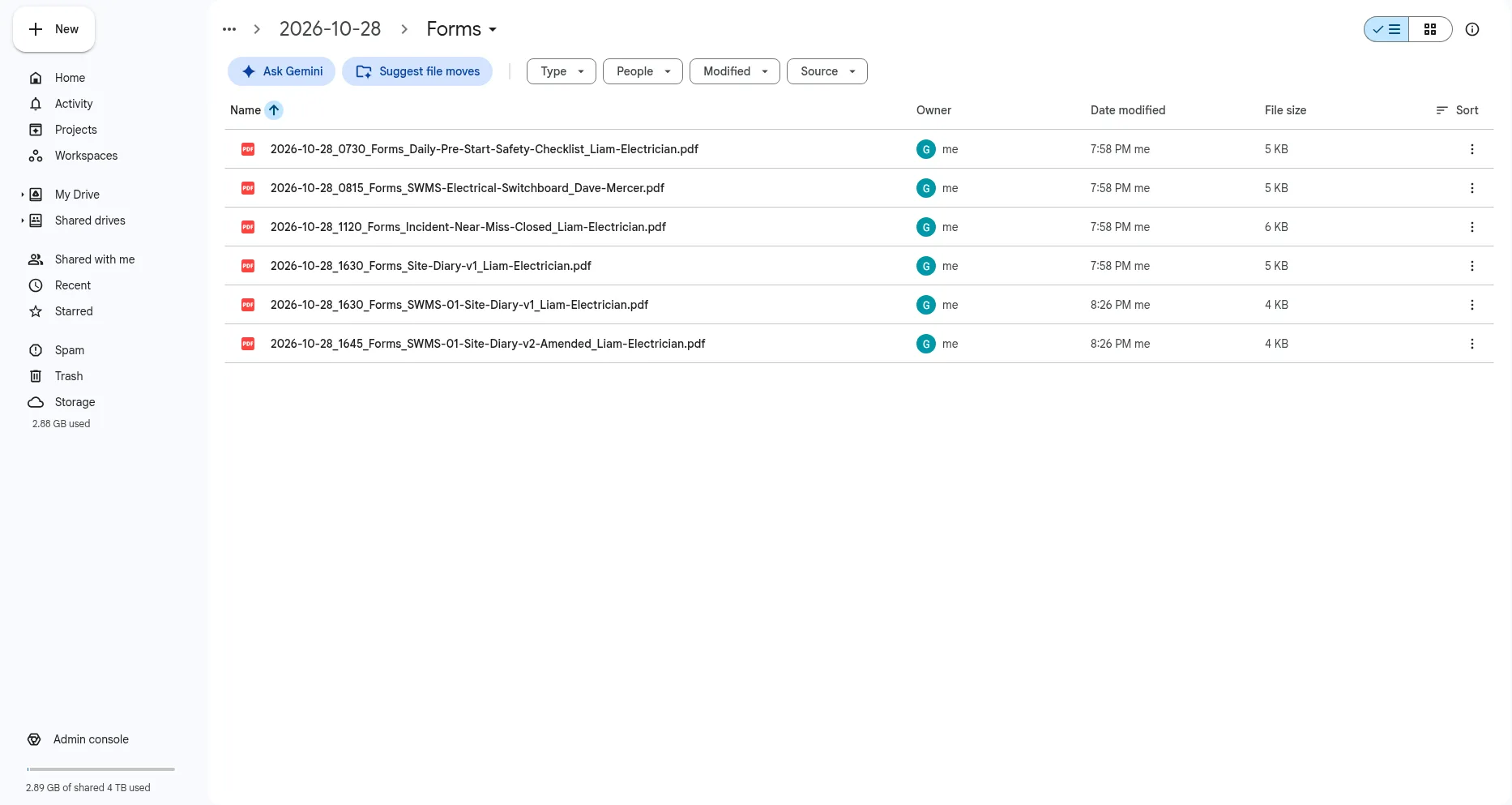
Google Drive folder Example
Example Google Drive folder showing site form PDFs filed by date.
Example — completed site form PDFs filed by date in Google Drive.
  • A named person approves Every approval, edit and export is permanently timestamped.
  • Flat plans from A$20.90/mo inc GST Ex GST and inc 10% GST shown upfront on pricing.
  • 30-day free trial, up to 300 credits No credit card needed to try it with your crew.
  • Your own Drive or Dropbox Completed site forms and photos file into your own folders.

Not rostering software, no live GPS tracking, and it doesn’t calculate award rates. Questions

Zemke the emu sitting on stacked timber holding a mug of tea.

Common questions

Straight answers

My crew won’t download Telegram. Now what?

They don’t need to. Each worker gets a personal link that opens in any phone browser, with no app and no password. You send it to them however you like, by email or in the chat you already use. They check in, check out and fill forms there. One honest note: Zemke’s timed reminders and check-in prompts come through Telegram, so crew on the browser link won’t get a nudge. WhatsApp is coming soon.

Will my crew hate being nudged?

The nudges are short and come at sensible times: one at the start of the shift if they haven’t checked in, one at the finish if they haven’t checked out, and a heads-up before a licence expires. Questions come one at a time, and they can pause and finish later. There’s no live GPS. If you turn location on, it’s shared once at check-in and once at check-out, and that’s it.

Does the AI make up hours?

No. It isn’t allowed to guess. One small AI step turns messy notes like “7h30, guesstimate” into tidy rows, and anything unclear is flagged for a person to check. Nothing is finalised or sent to Xero until a named person taps Approve, and every approval is timestamped.

How does pricing work for casuals and subbies?

Flat monthly plans, A$20.90 to A$328.90/mo inc GST (A$19 to A$299 ex GST), not a fee per seat. Each plan comes with credits: 2 credits = 1 approved worker-day. A casual or subbie who doesn’t work that day uses nothing. Team and Scale include unlimited crew and subbie profiles. Try it free for 30 days, up to 300 credits, no card.

Explore: Timesheet app Australia · Compare Australian timesheet apps · Deputy or Tanda alternative · Xero bookkeeper guide · Subcontractors · Riggers & scaffolders · Free templates · Developers & API · Crew Corner