A Time Clock App Your Crew Won't Need to Install
Most clock-in problems aren't really about the clock. They're about people.
You pick a time clock app or some employee time tracking software and roll it out. A week later, two people never installed it, one's phone is "full", and the rest clock in from the car park, from home or not at all. Come Friday you're back to texting "what time did you finish Tuesday?"
ZimQi takes a different route to employee time tracking: your crew clocks in from Telegram, an app most of them can already use. There's nothing new to download, no login to forget and no training session.
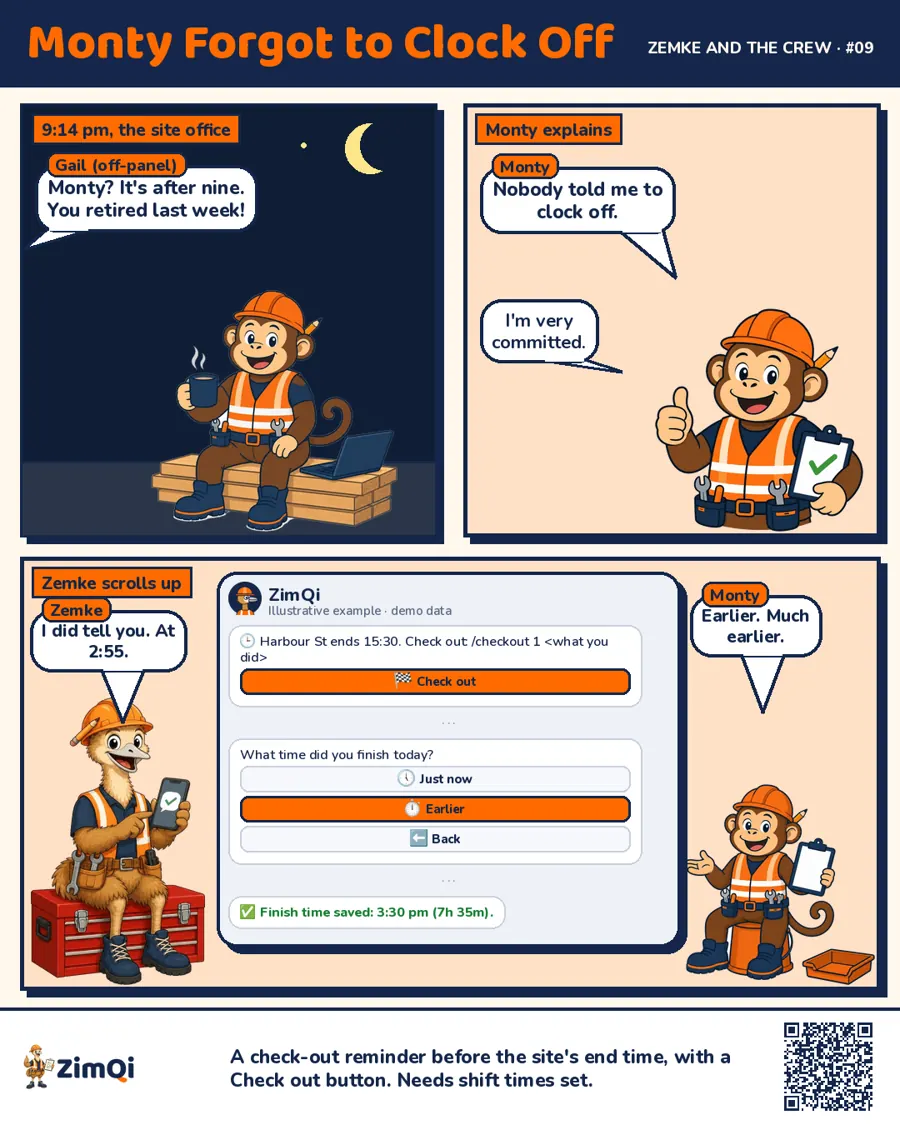
How the time clock works (clock in, clock out)
- Clock in. Tap the job or site in the ZimQi chat when you start.
- Clock out. Tap at the end of the day. Forget, and ZimQi gives a nudge.
- You approve. Hours land in one list. Approve or reject with one tap.
GPS clock in app, without tracking all day
Some owners want to know people actually clocked in at the site. Fair enough. If you switch it on, ZimQi checks location once at clock-in and once at clock-out, and flags anything outside the site radius. It doesn't follow anyone around all day, and you can tell your crew exactly that.
Employee time tracking software, plus the rest
Clock-in times are useful on their own, but most crews need a bit more than that. In the same chat, ZimQi also handles:
- Site sign-in for when you need a who's-on-site record
- Smart Forms for pre-starts, SWMS, toolbox talks, incident reports and job sheets
- Rosters and leave cover: import a roster, log leave and find available cover
- Licence and insurance expiry nudges 30, 14 and 7 days before something lapses
- Payroll and bills: approved hours go to Xero, and subcontractor hours can become draft bills
- Files: records saved to your own Google Drive (OneDrive and Dropbox coming soon)
Start with clock-in. Add the rest if and when it helps.
Who it's for
Small and mid-sized crews in trades, construction, cleaning, security and facilities: teams spread across sites, where the boss isn't standing at the door.
If you run a single shop with a wall-mounted time clock and everyone starts at 9, a simple time clock might suit you better. We'd rather tell you that up front.
What we don't claim
ZimQi records times. It doesn't calculate pay rates and it isn't payroll or legal advice. Your bookkeeper or advisor handles that. We just make sure the hours they get are cleaner.
Try it
See how it feels from your crew's side. Open ZimQi in Telegram and clock yourself in.
Try clock-in on Telegram, no app to download
You can also see the demo, pricing or how ZimQi compares.
FAQ
Is this a time clock app I have to download? No new one. Staff use Telegram (free on iPhone and Android) or a web link that opens in any phone browser.
Does it track my staff with GPS all day? No. There's no live GPS tracking. If you turn location on, it's checked once at clock-in and once at clock-out.
Can I fix a wrong clock-in time? Yes. Reject it and get it corrected before approving, so mistakes don't flow through to payroll.
Does it work with Xero? Yes. Approved hours can go to Xero, and subcontractor hours can be turned into draft bills.
What about casuals and subbies? They clock in the same way. You can keep their hours separate.
What does it cost? See pricing. It's in Aussie dollars with GST shown.